

Live streaming events have become a new norm with the rise in technology globally and the Covid-19 pandemic. Statistics show that the live streaming industry increased by 99% between April 2019 and April 2020. Concerts, conferences, graduations, and sporting events are the most common live-streamed events.
An event streaming service enables the target audience to connect with the brand in a quick, spontaneous, and authentic way. If you’re a business holding a conference or meeting through a live stream service such as Zoom, hiring a virtual meeting management services company is a great idea.With that in mind, it is time for you to learn how to live stream an event.
Here Are The Basics To Guide You:
1. Develop a Plan
Like other events, planning is the first step to a successful live stream. Your goals and intentions should help you come up with a detailed outline of how you see the event and the tools you will need to achieve them.
2. Select a Video Platform
You will need an online video platform (streaming solution) to host the live stream. Some event streaming service platforms will enable you and the viewers to get sufficient bandwidth and specialized servers for a smooth broadcast. Choose a platform that will give you a better experience and bring your vision into reality.
3. Set up the Required Equipment
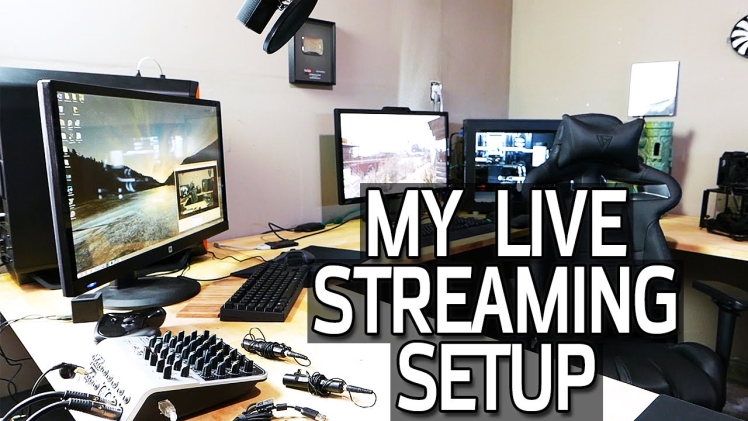
Think of the recording equipment you will need for your event. This is a crucial step, and it can be pretty overwhelming. Do enough research to weigh the available options, and if you can afford a very high-quality camera, you will have good visual and audio aspects that will attract viewers.
4. Connect the Encoder
A video encoder is required to convert raw files into streamable files. You can go for a software or hardware encoder, and both have several options. Ensure it is compatible with the online video platform for a smooth configuration.
5. Input Sources
After setting up your encoder, you will now input the source. They always vary according to the selected online platform and encoder. Here your microphone, camera, and other sources will be connected to the switcher or encoder for inclusion into the stream.
6. Create a Channel
After everything above is set, you will create a channel on your selected online video platform. It varies from each platform so, you can research according to your choice.
7. Embed the Stream
This is a simple step that involves copying the embedded code from the live channel and pasting it into the website. It can either be iframe or JS.
8. Perform a Test Run
Once everything is set, it is crucial that you run a test to identify mistakes and weak links and correct them in time. You will also know the parts where you might need backup.
9. Notify the Audience
It is essential that you prepare the audience for the stream beforehand. You can promote the event through post clicks and teasers on social media. Ads and press releases will also help you reach the target audience easily.
10. Start Streaming
On the final day, a simple click will get you live. You will switch the channel to online mode and then tap on the “start streaming” option, and there you go. Presenters should be confident enough and encourage viewer participation for a fun-filled interactive event.
Conclusion
An event streaming service comes with tons of benefits for both small and large businesses. With enough preparation and setup, you will reach even the remote audience in a straightforward process.
